
Audio · webcam, photo or clip
Xplor
Player one: you.
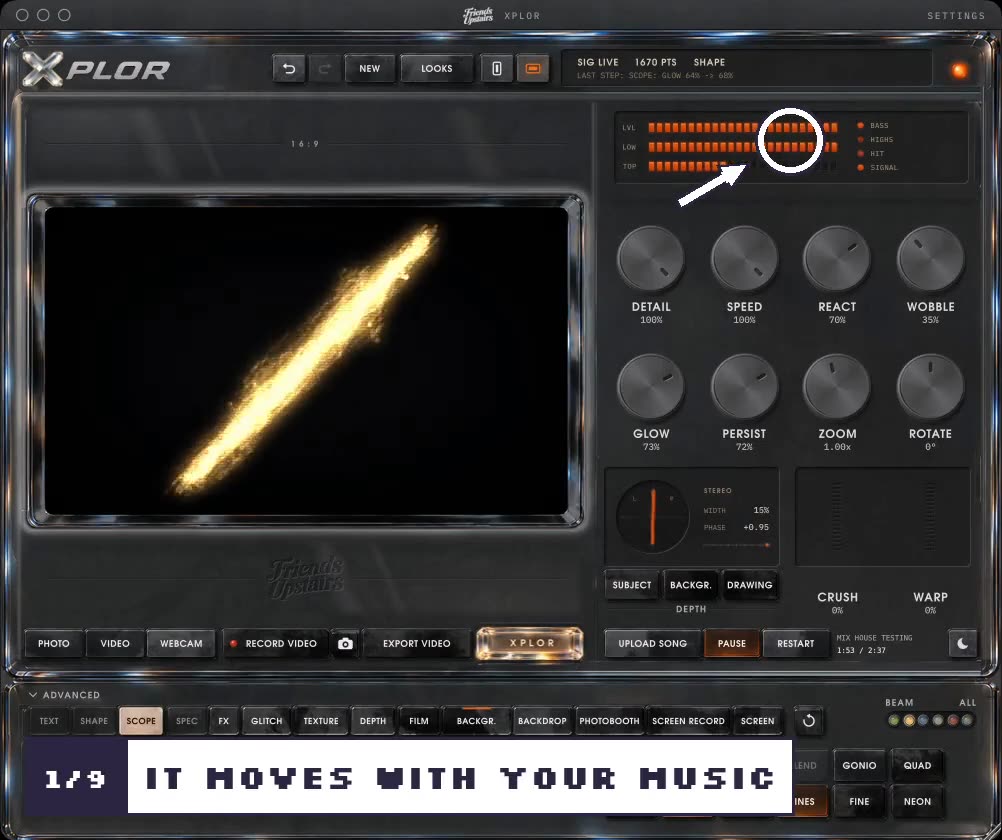
Xplor moves a picture with your music as the track plays. Scopes draw the sound itself, shapes and words move with it, and it all sits over a photo, a video or your webcam. Record a clip and AirDrop it to your phone, or screen-record any window with your computer's sound.
What you can do
- It moves with your musicThe picture follows the audio as the track plays.
- Scopes: XY, wave, gonio, quadFour ways to draw the sound itself.
- Neon, glow and beam coloursChoose how the line burns.
- Shapes from the libraryAtom shapes and more, drawn with the sound.
- Your words, or lyrics timed to the songType them, time them, save them as an .lrc file.
- Light and dark looksThe window itself comes in light and dark.
- Glitch, tape and filmRough the picture up with texture.
- Screen-record any window, with your computer's soundPick a window or a display and Xplor records it with whatever is playing.
- Use a photo, a video or your webcamIncluding your iPhone as the camera, with Continuity Camera.
Start here
- Put Xplor on a track that has sound, such as the master or a drum bus. It's an audio effect, and the sound passes through unchanged.
- Open its window and press play. The picture follows the music.
- Pick a scope (XY, wave, gonio or quad), a colour and a shape.
- Bring in your own picture: a photo, a video or your webcam. The camera list includes a USB webcam or your iPhone.
- Add your words, or paste lyrics and time them to the song.
Getting the video out
- Record: 3, 2, 1, then it records with the sound. Clips go to Movies › Xplor › Exports.
- AirDrop: send the clip to your iPhone (awake and unlocked, with Wi-Fi and Bluetooth on).
- Screen record: any window or display, with your computer's sound (macOS 14 or later). Add your voice with Mic (macOS 15 or later).
What it needs
- macOS
- 12 Monterey or later. Screen recording needs 14 Sonoma; adding your voice to it needs 15 Sequoia.
- Mac
- Apple silicon or Intel. Face and body tracking needs Apple silicon.
- Formats
- Audio Unit and VST3.
- Permissions
- Camera (for the webcam) and Screen & System Audio Recording (for screen recording), both given to your music app.
- Download
- 847 MB.
Good to know
- On Intel Macs, the effects that track your face and body (such as cutting you out of the background) need Apple silicon for now. Everything else works.
- macOS asks your music app, not Xplor, for the camera. If you said no once, see camera and screen permissions.
- Face and body tracking uses MediaPipe, a Google library that runs on your Mac. Your picture stays on your Mac; see the privacy policy for what Google's library may report.
More help: Help · This guide as a PDF · Version history · All four plug-ins